Arknights: Endfield Steam Client Account Linking Guide

Arknights: Endfield Steam Client Account Linking Guide
Dear Endministrator,
When logging into Arknights: Endfield on the Steam client for the first time, you will need to link your Steam account to your Gryphline Account. Please choose one of the following methods that fits your account situation.
※ If you already have a game character on another platform, we recommend that you link your existing Gryphline Account to carry over your game progress.
I. I already have a Gryphline Account
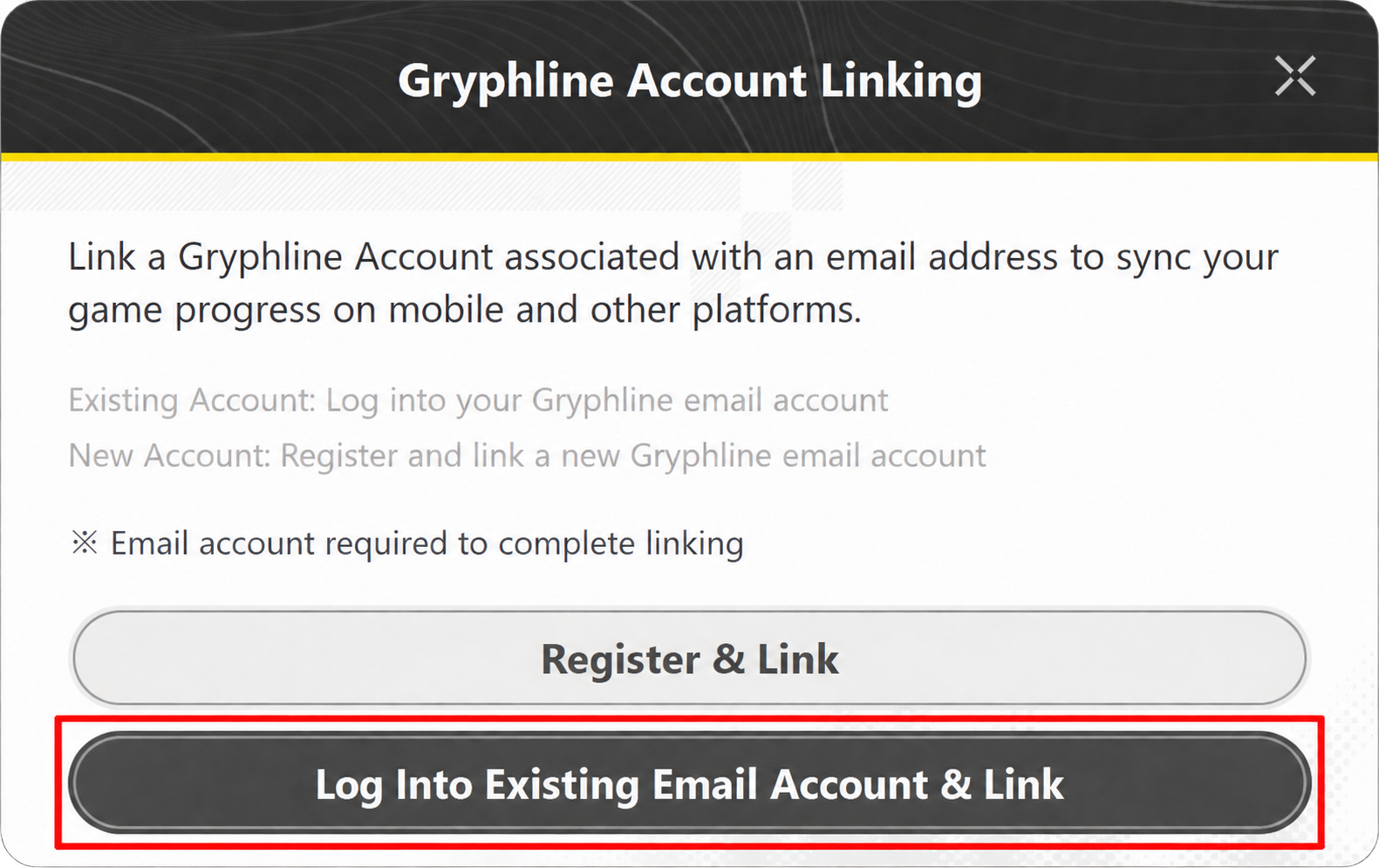
1. Launch the game through Steam and select [Log Into Existing Email Account & Link] on the account linking page.
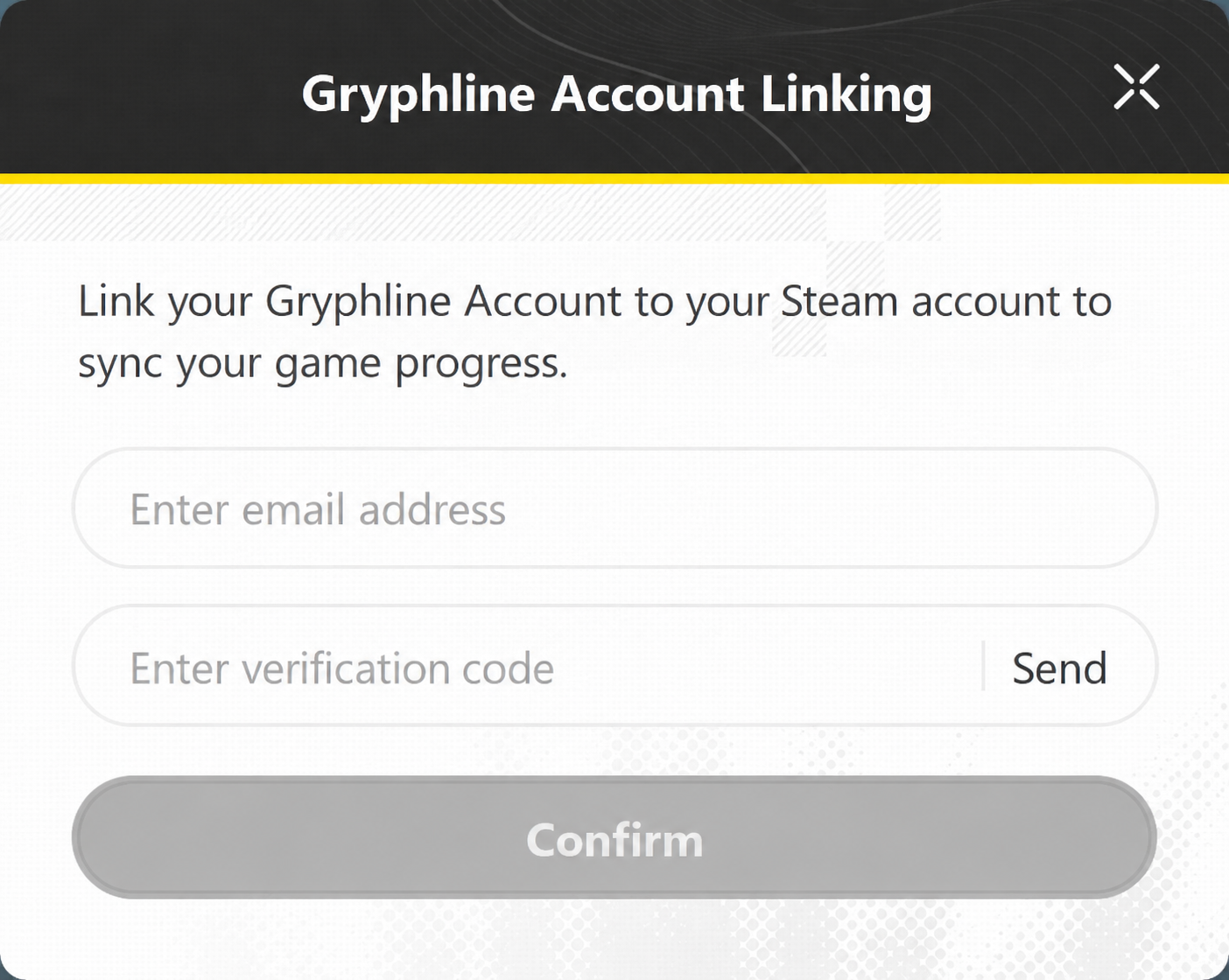
2. Enter the email address of your existing Gryphline Account and proceed to get a verification code to complete the linking process with your Steam account.
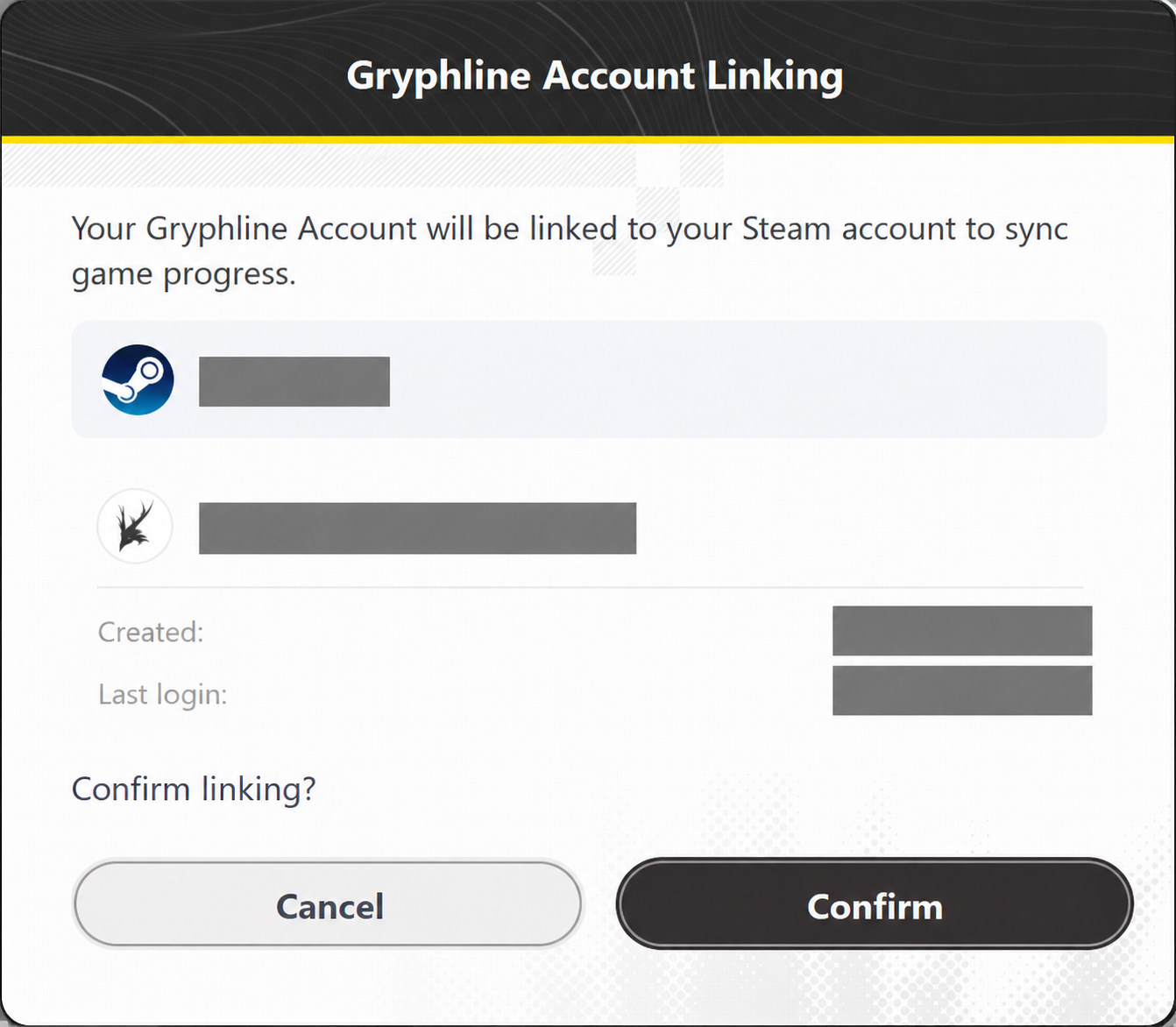
3. After confirming that your Steam account and Gryphline Account information is correct, click [Confirm].
II. I have previously logged into the game using a third-party account (e.g., Gmail, Apple, or Facebook account)
If your existing Gryphline Account already has an email address linked to it, you can select [Log Into Existing Email Account & Link] in the Steam version, then log in using that email address to complete the linking process.
If your existing Gryphline Account does not have an email address linked to it, please complete the following steps first:
1. Go to the Gryphline Account Center and sign in using the third-party account you previously used to log into the game (e.g., Gmail, Apple, or Facebook account).
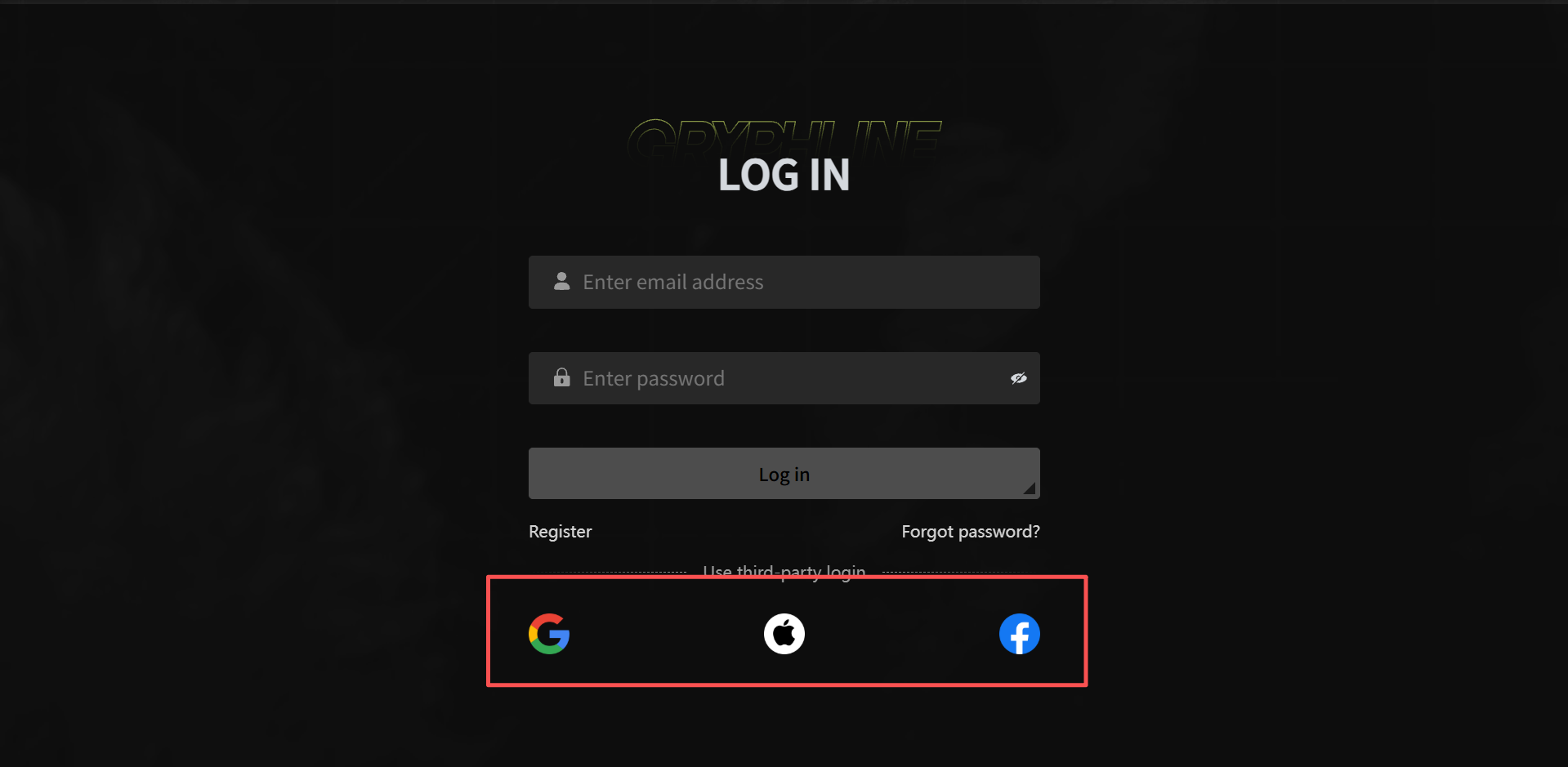
2. Follow the on-screen instructions to link an email address to your existing Gryphline Account. The email address must not be already registered to a Gryphline Account.
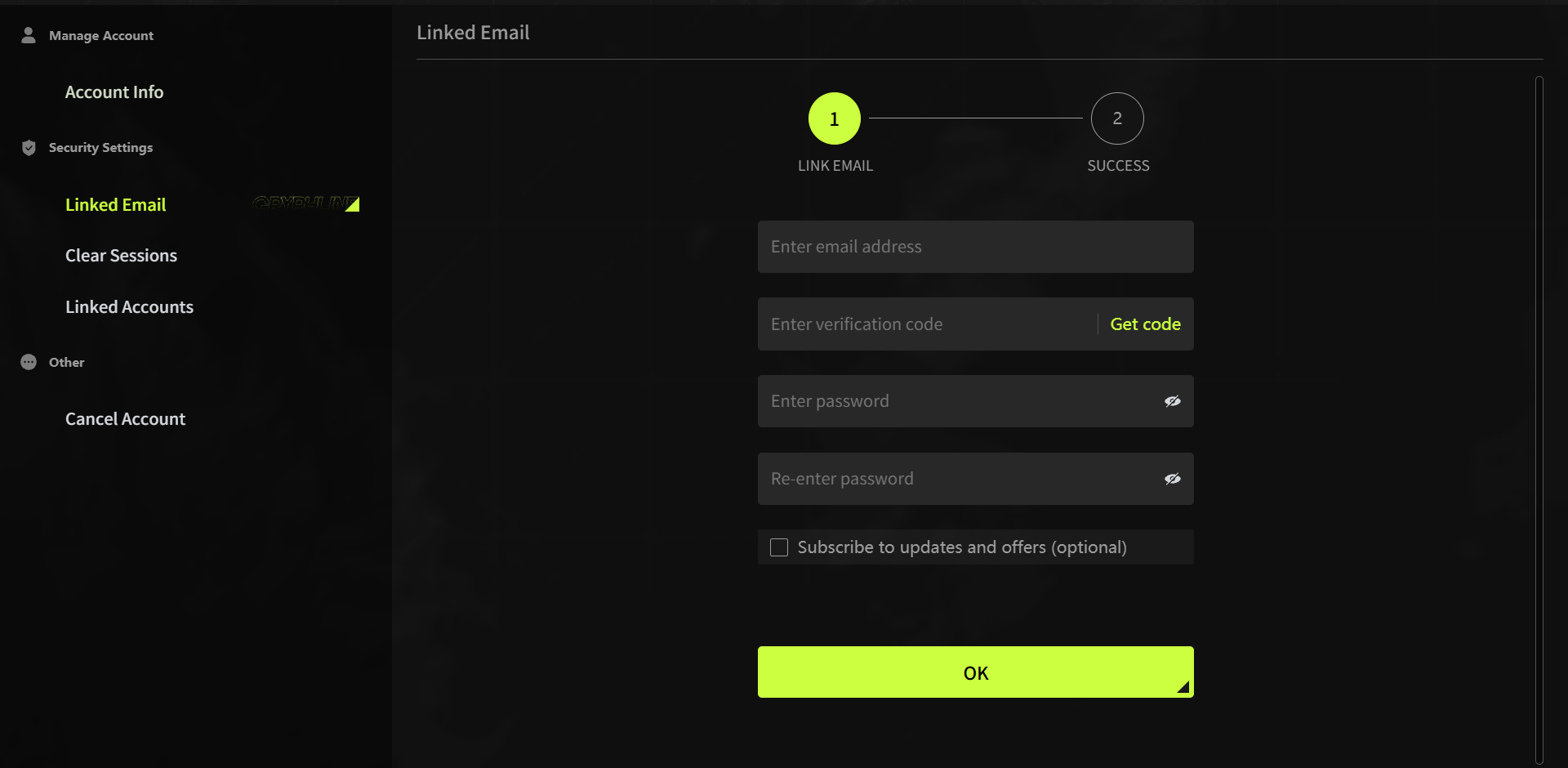
3. After linking your email address, return to the game on Steam and select [Log Into Existing Email Account & Link]. Log in using the email address you just linked, then follow the on-screen instructions to complete the linking process with your Steam account.
III. I've never registered a Gryphline Account and I want to create a new account to log into the game on Steam.
1. Launch the game through Steam and select [Register & Link] on the account linking page.
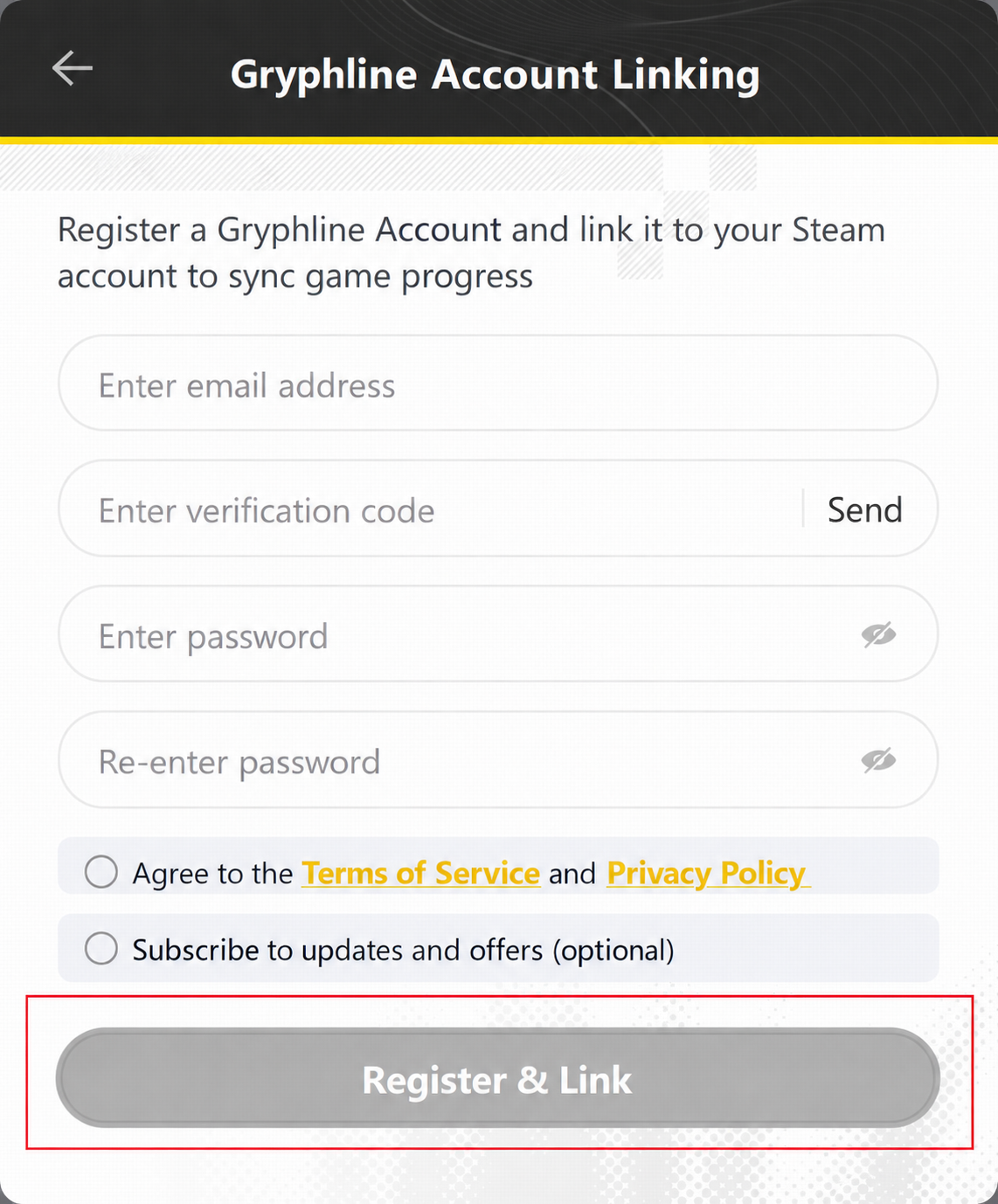
2. Follow the on-screen instructions to create a Gryphline Account and link it to your Steam account.
※ How do I unlink my Steam account?
You can unlink your Steam account from your Gryphline account using either of the following methods:
Method One: Unlink via the in-game option
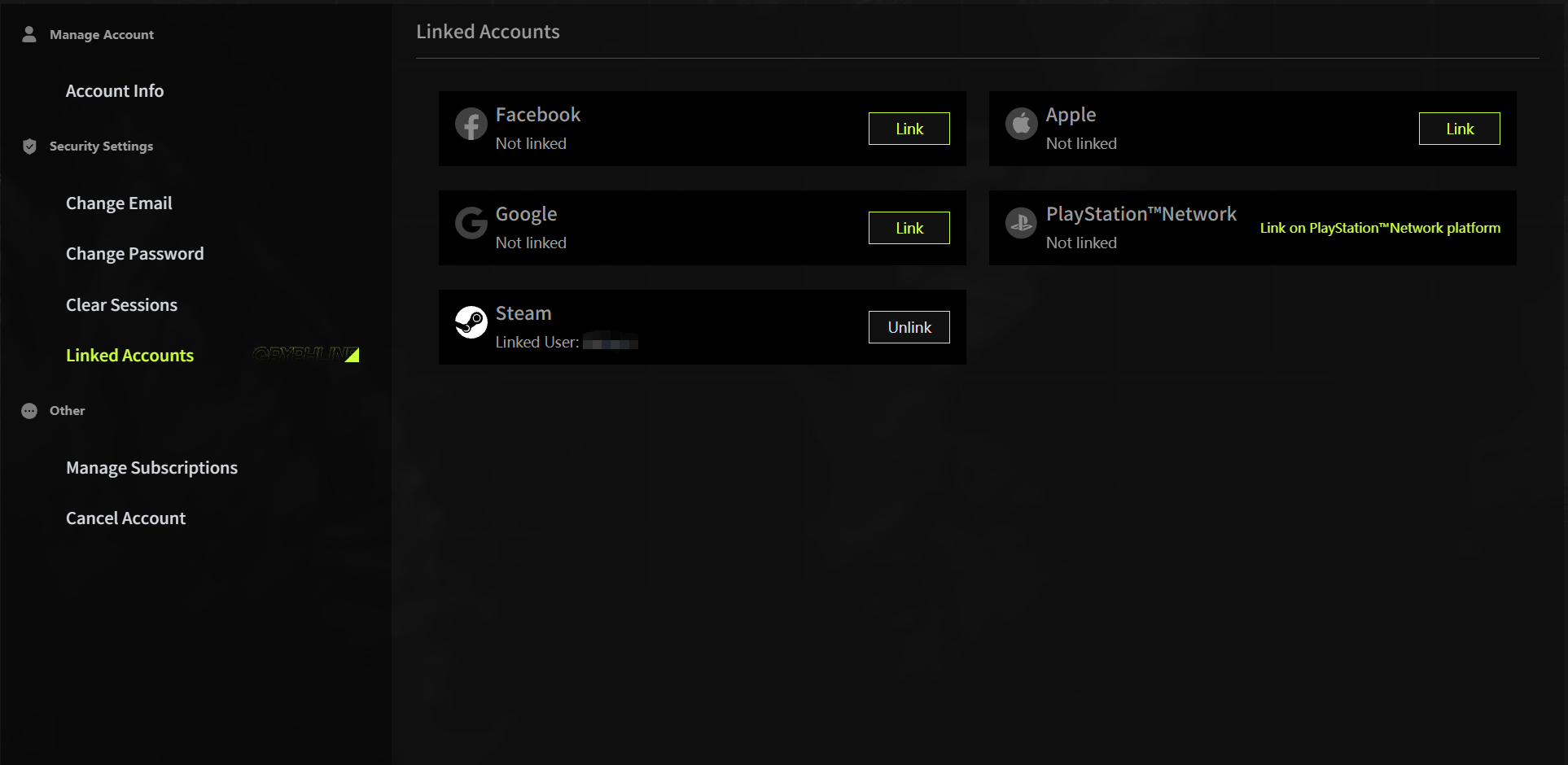
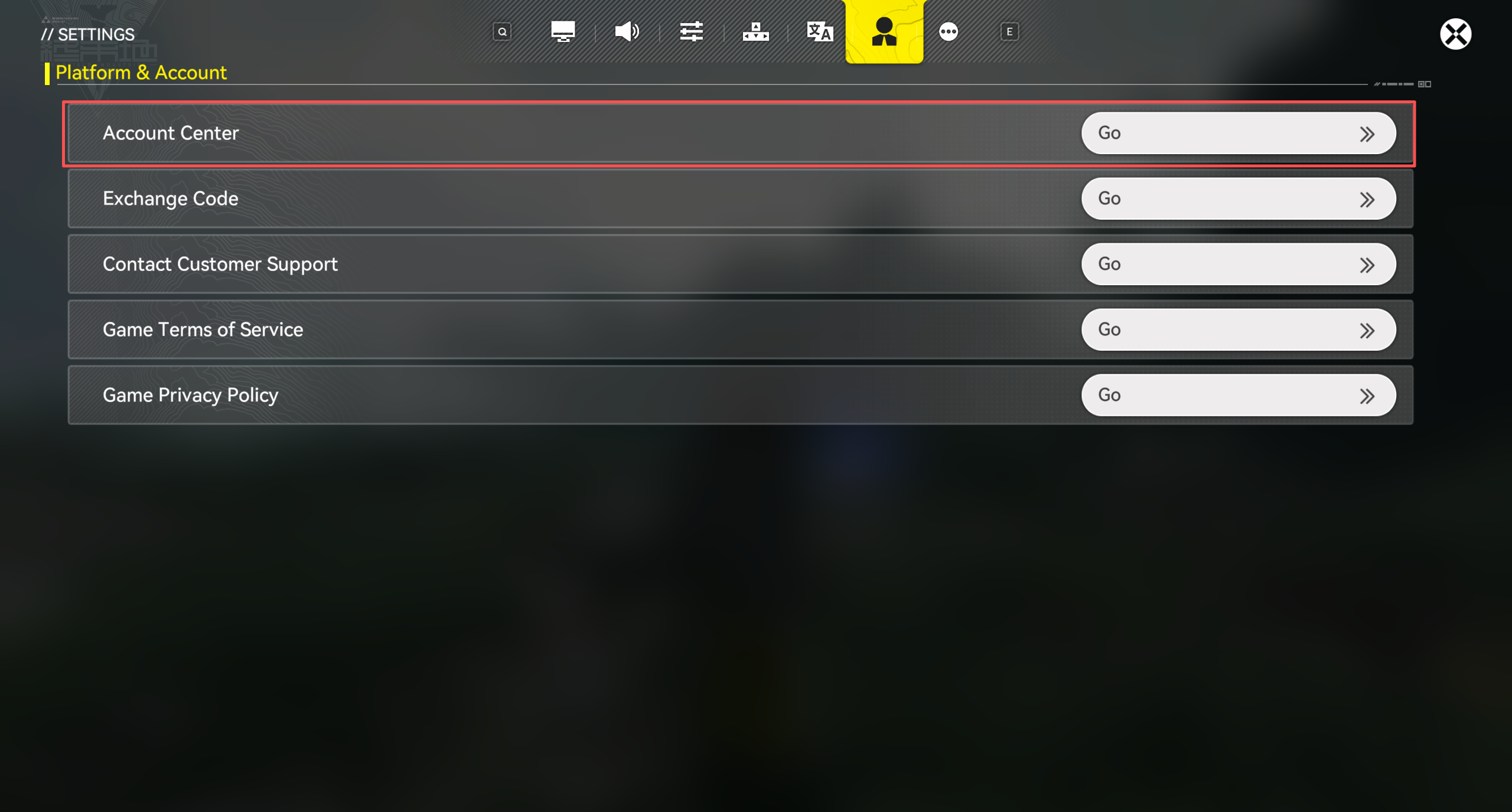
Enter the game and go to [Settings] → [Platform & Account], click [Go] on the right of the [Account Center], and follow the on-screen instructions to complete the unlinking process.
Method Two: Unlink via the Gryphline Account Center
Visit the Gryphline Account Center and sign in to your linked Gryphline Account, then follow the on-screen instructions to unlink your Steam account.